
 Join our Discord
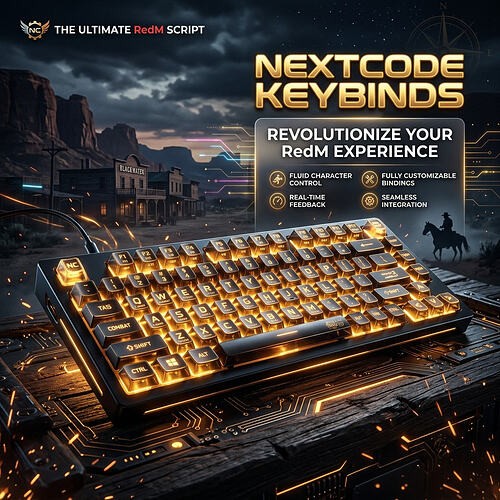
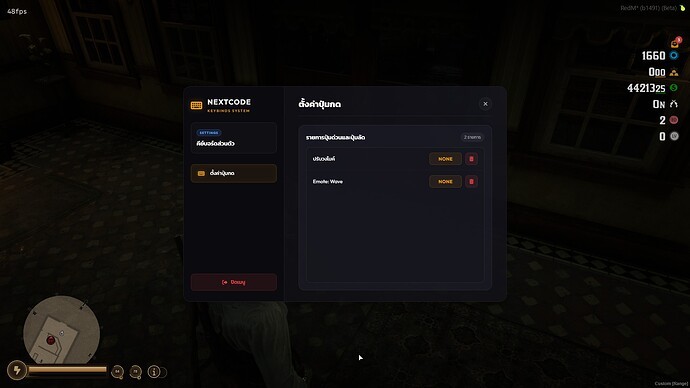
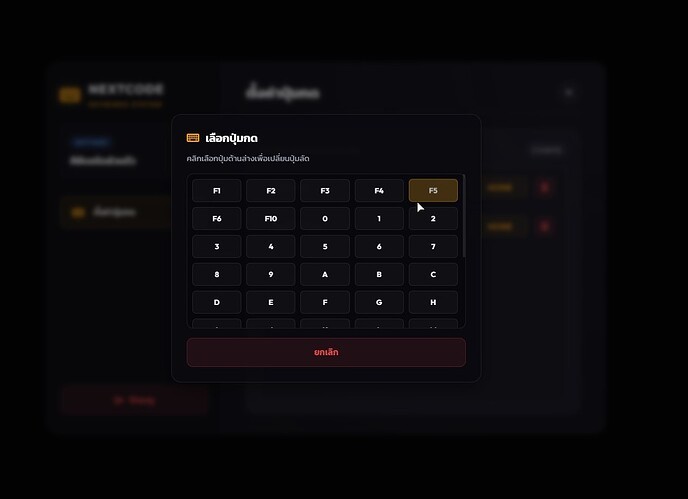
NEXTCODE Keybinds is a premium, highly optimized NUI keybinding system designed specifically for RedM VORP Core. It allows server owners to set system-enforced hotkeys (Global Keys) while giving players the freedom to customize, bind, or remove their own hotkeys for commands and events (Client/Server) via a stunning glassmorphism UI.
 Features
-
 Modern Glassmorphism UI: Built with sleek animations, responsive elements, and clean typography (Outfit & Kanit fonts).
 -
 Character-Bound Profiles: Automatically loads and saves keybind configurations per character (
charidbound). -
 Auto Database Setup: Seamlessly verifies and creates the database table on script startup via
 oxmysql(no manual SQL import required!). -
 Two Keybind Types:
- Global Keys (Server-enforced): Bound to important server actions (e.g., F1 for Admin menu, F4 for Job menu) that players cannot alter.
- Custom Keys: Interactive keybinds that players can easily configure or delete.
-
 Highly Optimized: Utilizes
 IsRawKeyPressedchecked at 5ms only when UI is closed, ensuring near 0.00ms idle resmon. -
 Anti-Spam Cooldown: Built-in 500ms cooldown to prevent player spam and server-side overload.
 Requirements & Dependencies
-
VORP Core (
vorp_core) - oxmysql (for database integration)
 Installation
- Download and place the folder
NEXTCODE-Keybindsinto your server’sresourcesdirectory. - Add the resource to your
server.cfg:ensure NEXTCODE-Keybinds - Customize your key binds, commands, and default values in the
config.lua. - Start your server. The database table
nextcode_keybindswill be set up automatically.
คุณสมบัติเด่น
-
ดีไซน์เมนูระดับพรีเมียม: เมนูสไตล์ Glassmorphism ตกแต่งด้วยโทนแสง Amber/ทองเรืองแสง และอนิเมชันเปิดเมนูที่สวยงาม
-
ผูกกับตัวละครผู้เล่น: บันทึกและดึงข้อมูลปุ่มกดแยกตามรายตัวละครของผู้เล่นอย่างแม่นยำ (
charid) เมื่อเข้าเกมเสร็จสิ้น -
สร้างตารางข้อมูลอัตโนมัติ: เมื่อสตาร์ทสคริปต์ ระบบจะตรวจสอบและรันการสร้างตาราง
nextcode_keybindsให้ทันทีผ่านoxmysql(ไม่ต้องนำเข้า SQL เอง) -
แบ่งปุ่มกดออกเป็น 2 ประเภท:
- Global Keys (ปุ่มระบบหลัก): ล็อกปุ่มระบบสำคัญไว้เบื้องหลัง (เช่น F1 เปิดเมนูหลัก, F10 เปิดเมนูแอดมิน)
- Custom Keys (ปุ่มเปลี่ยนได้): ปุ่มทั่วไปที่แสดงผลบน UI ให้ผู้เล่นเข้าไปแก้หรือคลิกลบออกได้เอง
-
ทำงานเสถียรและกินทรัพยากรต่ำ: เช็คปุ่มกดที่ระดับ 5ms (IsRawKeyPressed) ประหยัดทรัพยากรเครื่องอย่างมาก
-
ระบบป้องกันการสแปมปุ่ม: มี Cooldown 500ms ป้องกันการกดย้ำ ๆ เพื่อไม่ให้เกิดภาระต่อเซิร์ฟเวอร์
ความต้องการของระบบ
-
VORP Core (
vorp_core) - oxmysql (สำหรับเชื่อมต่อระบบฐานข้อมูล)
ขั้นตอนการติดตั้ง
- นำโฟลเดอร์
NEXTCODE-Keybindsไปวางในไดเรกทอรีresourcesของเซิร์ฟเวอร์ - เพิ่มคำสั่งรันสคริปต์ในไฟล์
server.cfg:ensure NEXTCODE-Keybinds - ปรับแต่งคำสั่งและคีย์ลัดตามใจชอบในไฟล์
config.lua - เปิดเซิร์ฟเวอร์ สคริปต์จะทำการสร้างตารางฐานข้อมูลและเริ่มทำงานโดยอัตโนมัติ